Descify: AI-Powered Shopify Product Description Generator
Descify is an AI-powered product description generator for Shopify, designed to automate and optimize the copywriting process for e-commerce merchants. As your go-to description generator, Descify helps store owners generate high-quality, SEO-friendly, and conversion-focused product descriptions in bulk, saving hours of manual work.

🚀 Key Features Overview
1. Home Page: Insights at a Glance
The Home Page serves as your command center, providing a real-time overview of your usage and savings.
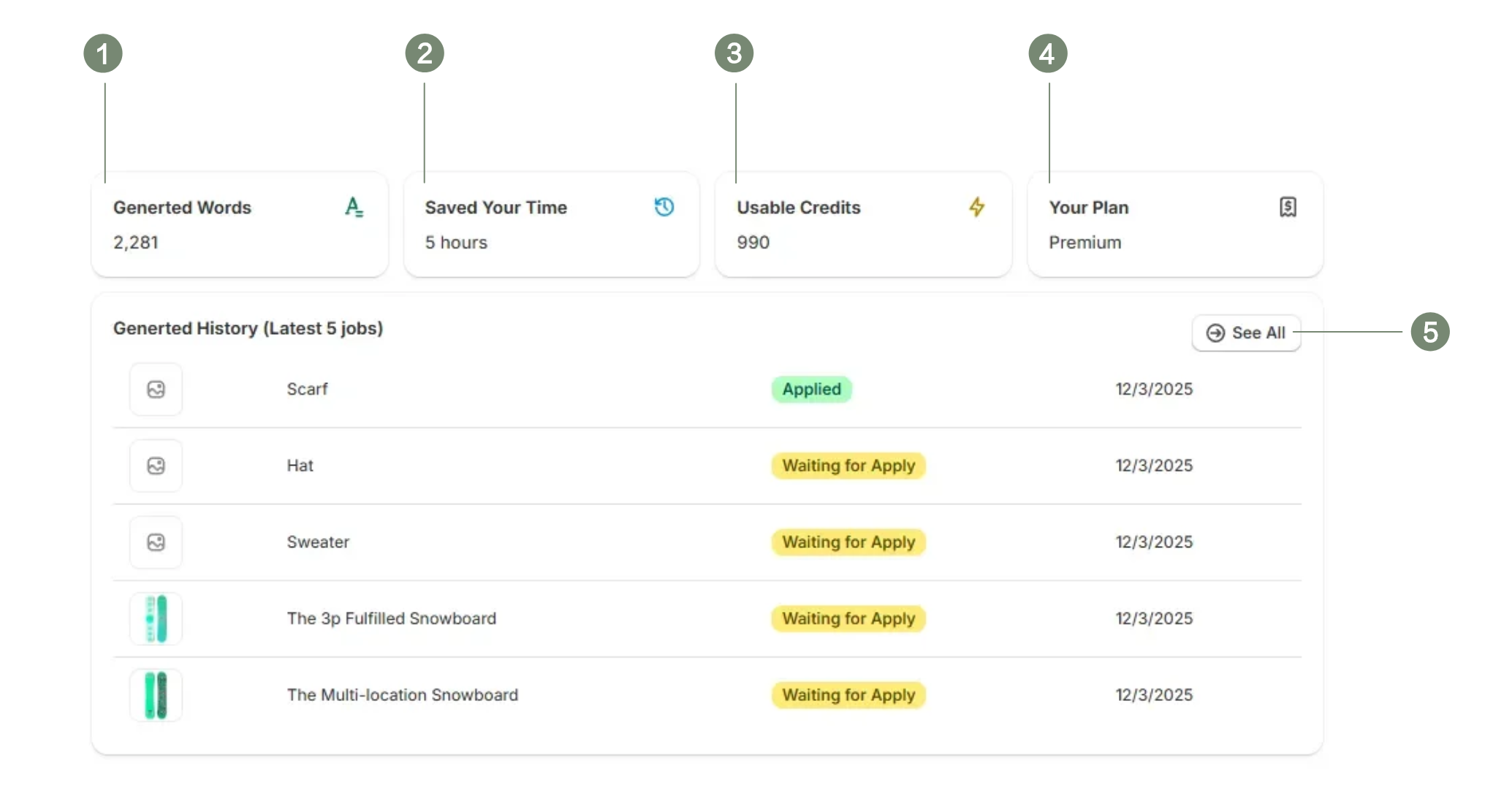
Serial Numbers and Labels
- Generted Words
Total number of words generated by Descify - Saved Your Time
Time saved with Descify’s assistance - Usable Credits
Remaining number of available Credits - Your Plan
Your current membership type - Recent History
A quick view of your latest 5 generation tasks to track immediate progress. Click here to navigate to the generation history
2. Product Selection
Effortlessly manage your catalog and configure generation settings in the Product Selection view.
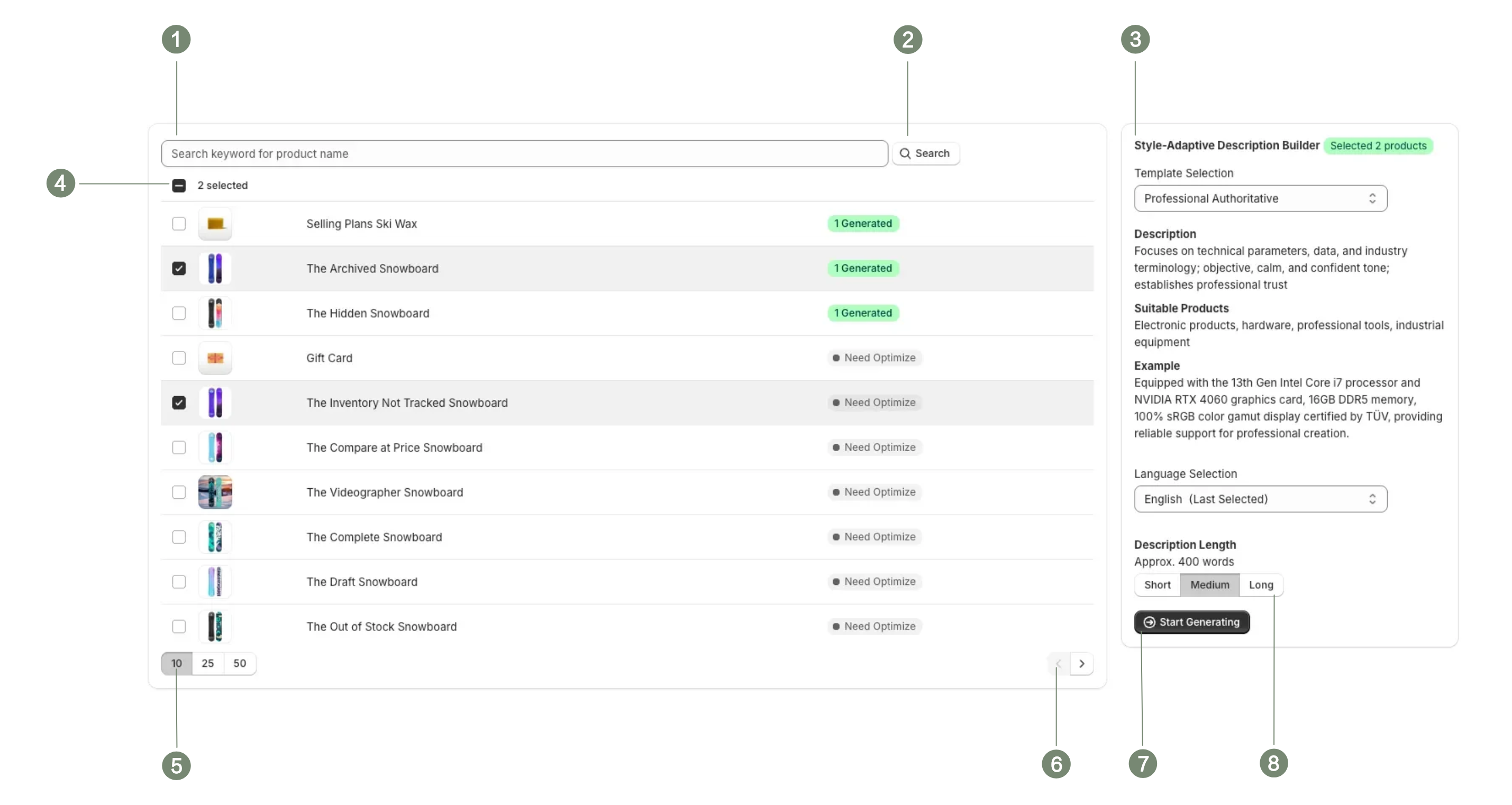
Serial Numbers and Labels
- Search Box
Locate products for description optimization by entering product keywords. - Click to Search
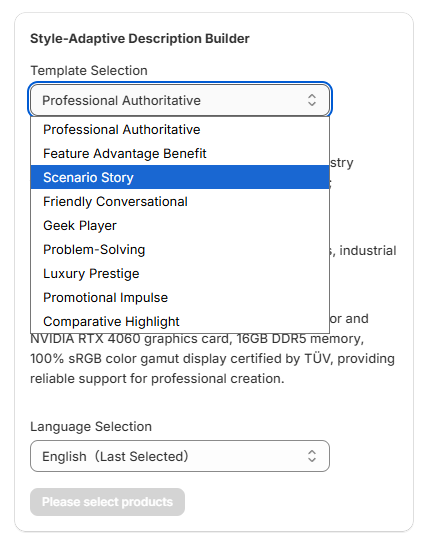
Click here to execute the search. - Template Selection Preview
Browse and preview available description templates.- 9 Unique Templates: Choose the perfect tone for your brand, such as Professional Authoritative, Scenario Story, Feature Advantage Benefit, or Luxury Prestige.
- Multi-Language Support: Localize your store with support for 20 different languages.
- Selection Mode
Choose between single selection or select all options. - Page Size Configuration
Supports dynamic switching between 10/25/50 items per page. - Page Navigation
Click here to navigate between different pages. - Initiate Generation
After selecting products, templates, and preferred language, click here to start the description generation process. - Description Length
Descify allows you to customize the length of generated product descriptions, offering three distinct length options to choose from.
Short Approx. 200 words
Medium Approx. 400 words
Long Approx. 600 words
3. History
The History is where you review, refine, and publish your content. It offers powerful filtering and editing capabilities.
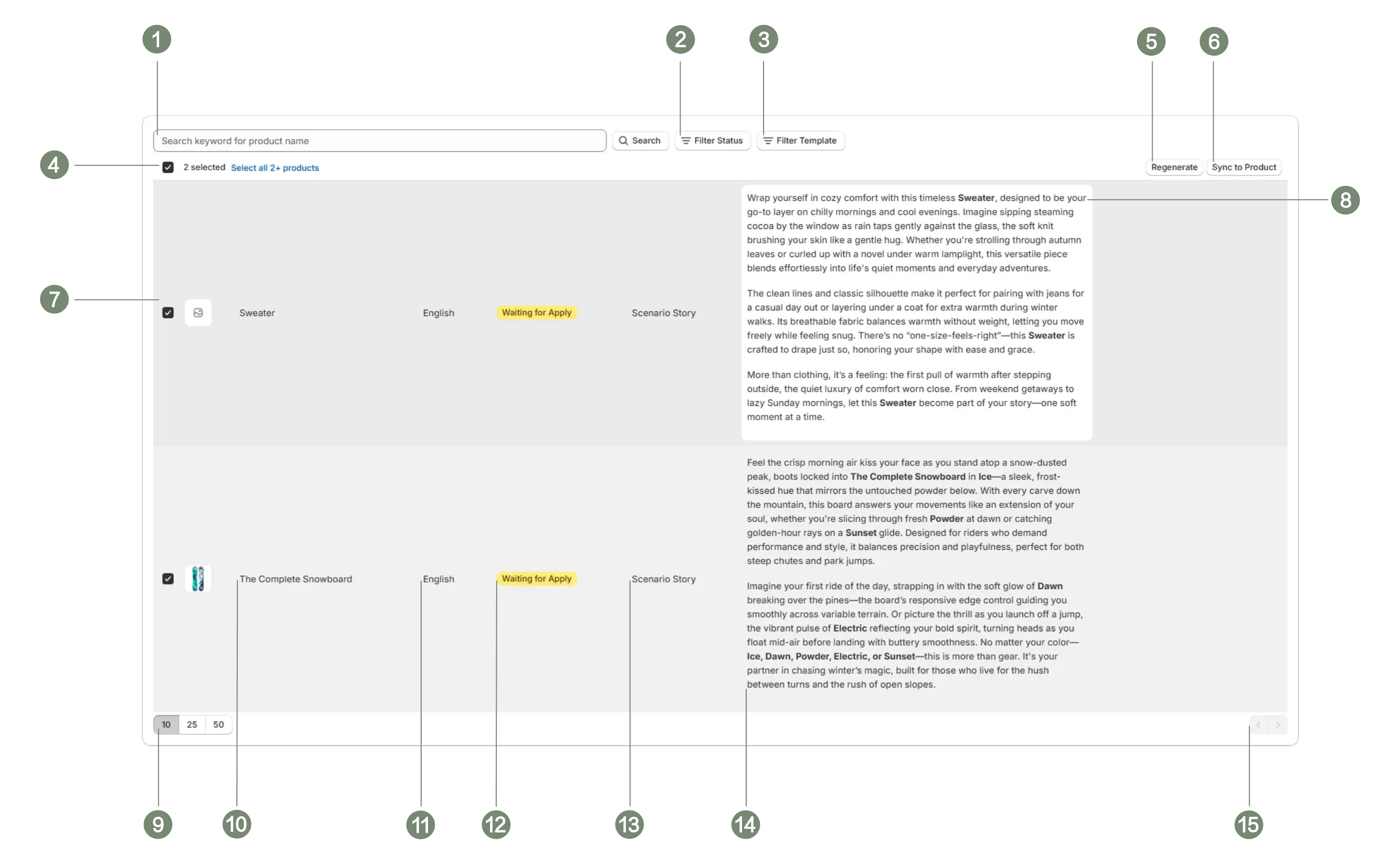
Serial Numbers and Labels
-
Search Box
Filter by product name keywords. -
Filter by Generation Status
Narrow down results based on the current generation phase.
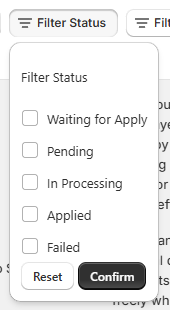
- Filter by Template Type
Refine selection according to the template category used.
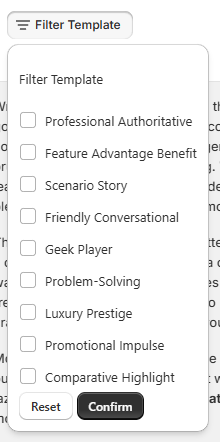
-
Selection Options
Single selection or select all checkboxes. -
Regenerate
If unsatisfied with the selected generation record, click the "Regenerate" button to quickly return to the product selection page, where you can re-choose the template and language to generate the product description anew. -
Sync to Product
Synchronize the generated description to the corresponding product. -
Product Thumbnail and Name
Display the product thumbnail and name associated with the current generation record. -
Edit Mode
Click here to enter edit mode, where you can revise and save the generated content. Descify provides a streamlined lightweight editor.
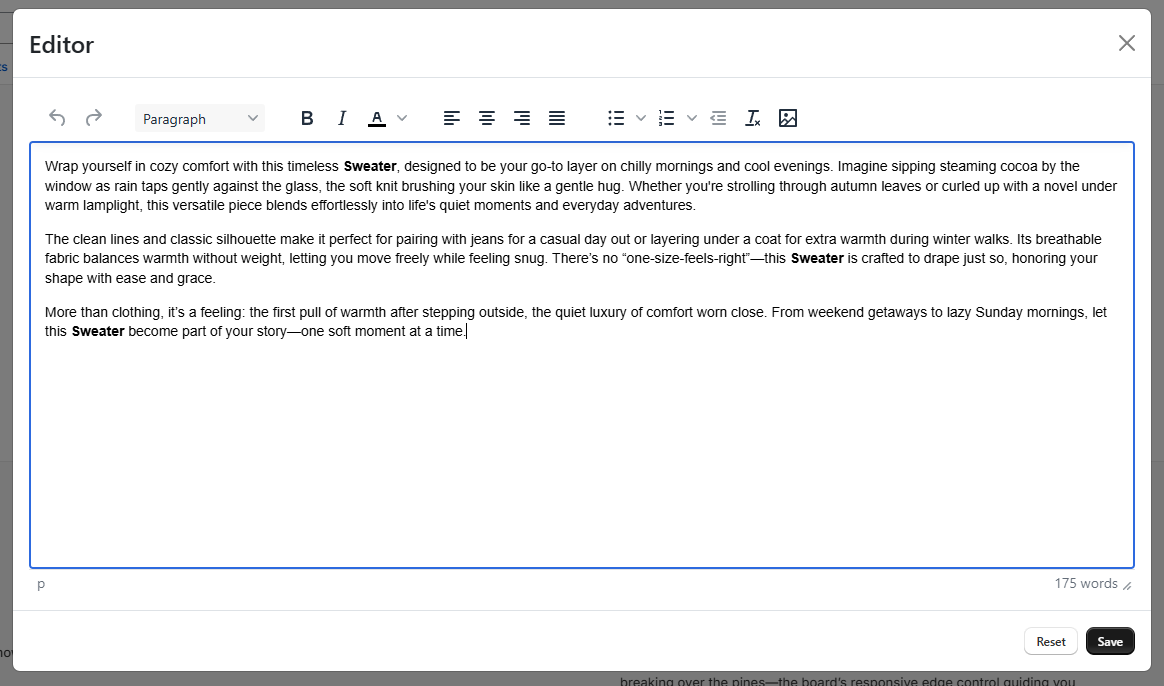
-
Page Size Adjustment
Adjust the number of items per page using the options: 10, 25, or 50. -
Product Name
The name of your product. -
Generation Language
The language selected for this generation cycle. -
Generation Status
The following statuses indicate the current phase of the generation process:- Pending: Awaiting processing.
- In Processing: Generation in progress.
- Waiting for Apply: Generation complete, awaiting your sync to the product.
- Applied: Successfully synchronized to the product.
- Failed: An error occurred, and generation was unsuccessful.
💡 How It Helps Merchants
- Save Time: Automate the repetitive task of writing descriptions for hundreds of SKUs.
- Boost SEO: Create unique, keyword-rich content that helps products rank better.
- Go Global: Instantly translate and localize product content for international markets.
Contact us: contact@getbestify.com
© 2025 Descify powered by GetBestify. All rights reserved.